

(Using the Released Products Form)
Introudction
In Dynamics 365 Finance and Operations, a Simple Product is used when a product does not have variants such as size, color, or style. Examples include items like a USB Cable, Mouse, or Office Chair.
Example
USB Cable – 1.5 Meter
Create a New Released Product
Navigate to Product information management > Products > Released products > Click New>
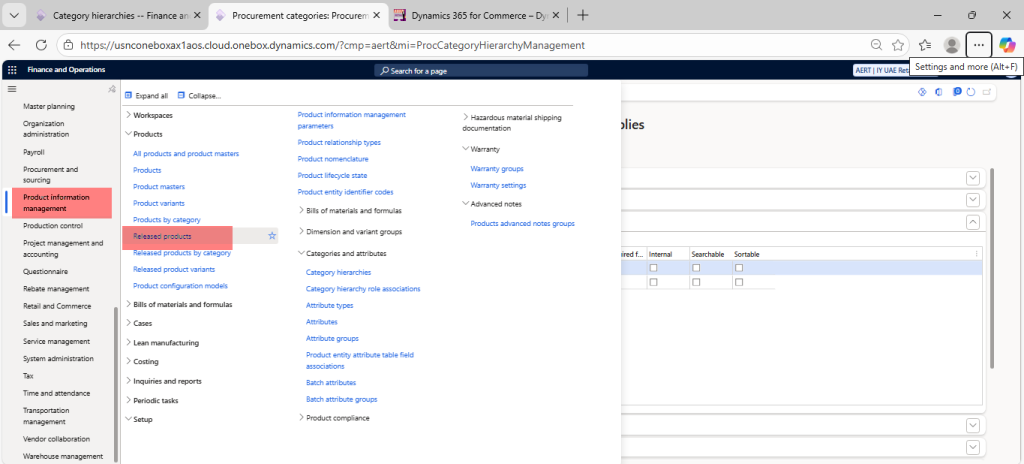
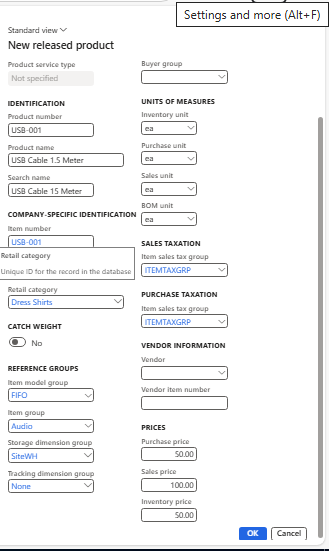
The Create new product dialog opens >
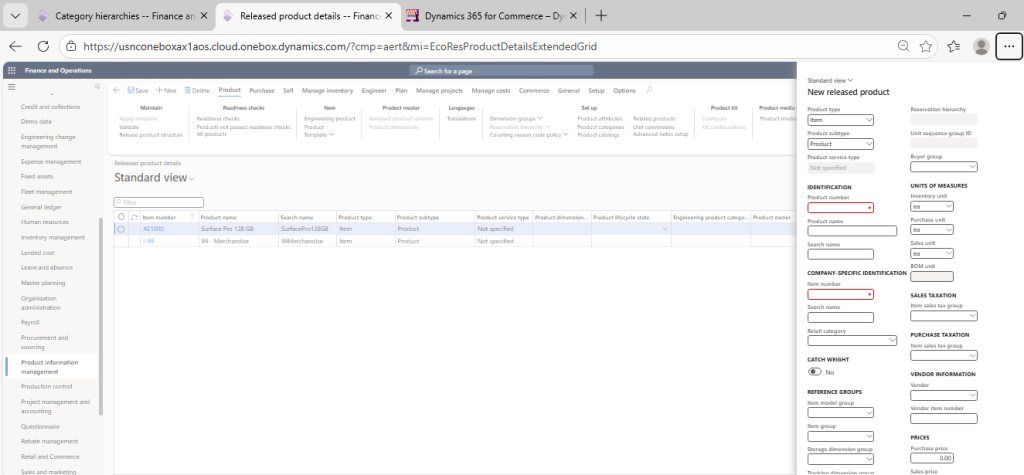
Select Product Type and Subtype
| Field | Value |
|---|---|
| Product type | Item |
| Product subtype | Product |
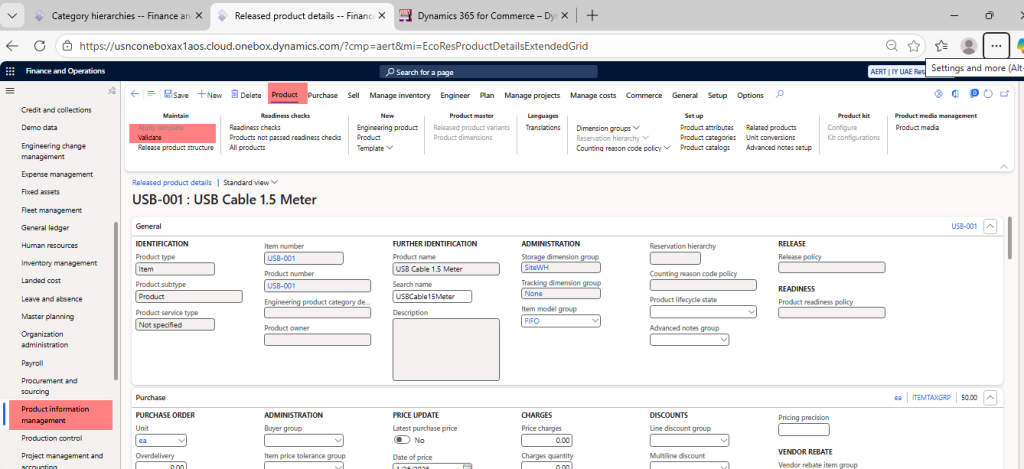
| Product number | USB-001 |
| Product name | USB Cable 1.5 Meter |
| Retail Category | Cables |
| Item model group | FIFO |
| Item Group | Audio |
| Storage dimension group | SiteWH |
| Tracking dimension group | None |
| Inventory unit | ea |
| Purchase unit | ea |
| Sales unit | ea |
| BOM unit | ea |
| Item sales tax group | ITEMTAXGRP |
| Purchase price | 50 |
| Sales price | 100 |
| Inventory price | 50 |
Click ok to create the Product
Click on Validate Option to make sure, all Good