

Introduction
Regardless of whether a product is created as a Product or a Product Master, it is essential to define how the product is stored, issued, and managed within inventory. In Microsoft Dynamics 365 Finance & Operations (D365 F&O), this control is achieved through Inventory Dimensions, which enable inventory to be tracked and managed at a detailed operational and financial level.
Inventory dimensions are broadly categorized into Storage Dimension Groups and Tracking Dimension Groups. Each plays a critical role in inventory management, costing, and planning.
Storage Dimension Groups
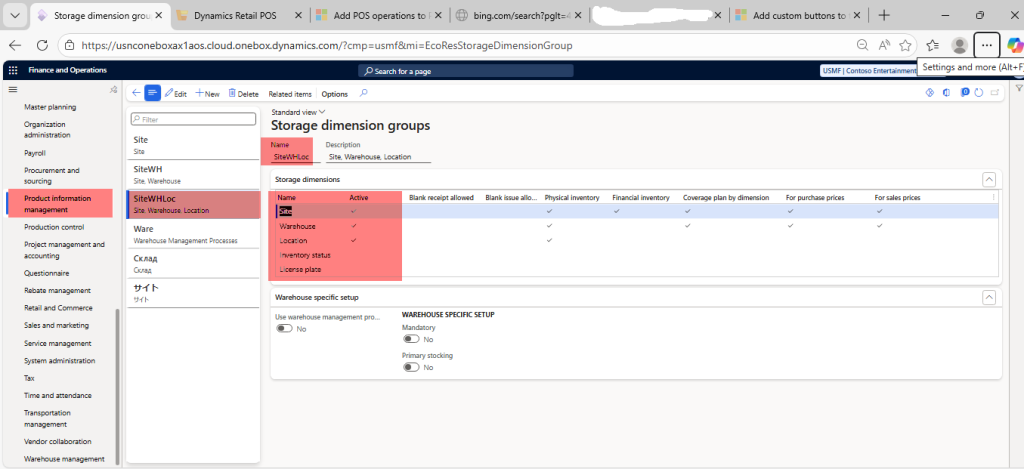
Storage dimensions define where and how a product is physically stored. Common storage dimensions include:
- Site
- Warehouse
- Location
- Inventory Status
- License Plate
These dimensions can only be applied to a product if they are enabled in the Product Storage Dimension Group assigned to that product.
Key Configuration Options
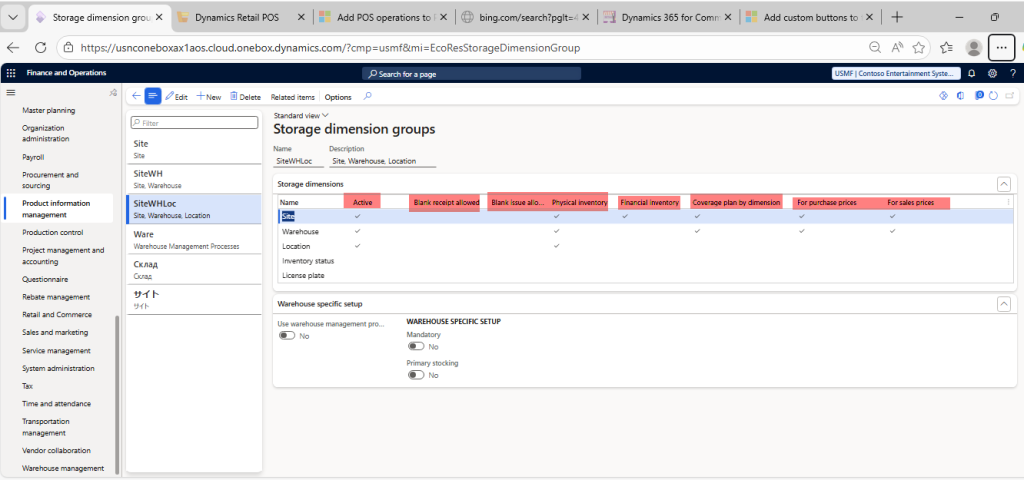
Within the Storage Dimension Group form, several important settings determine system behavior:
- Active
Controls whether the dimension is used at all. - Allow Blank Issue / Receipt
Determines whether inventory transactions can occur without specifying a value for that dimension. - Physical Inventory
When selected, the dimension must be considered during physical inventory updates. For example, during packing slip posting, Dynamics 365 validates physical on-hand quantities based on the specific dimension value. - Financial Inventory
When enabled, the dimension is included in financial cost calculations. This allows cost prices to vary by storage dimension (such as different warehouses having different costs). If the FIFO (First In, First Out) costing method is used and the financial inventory checkbox is enabled for Site, Warehouse, and Location, D365 will only settle receipts and issues when these dimension values match exactly.
If the financial inventory option is disabled, the system distributes the average cost across all related dimensions. - For Purchase Price and For Sales Price
When Enabled allow trade agreements to be defined at a specific dimension level.
For example, enabling For Purchase Price at the Site level allows different purchase prices to be maintained for each site. - Coverage Plan
The Coverage Plan setting controls master planning behavior, including:- Minimum and maximum inventory levels
- Lead times
- Vendor selection
- Replenishment strategies
Tracking Dimension Groups
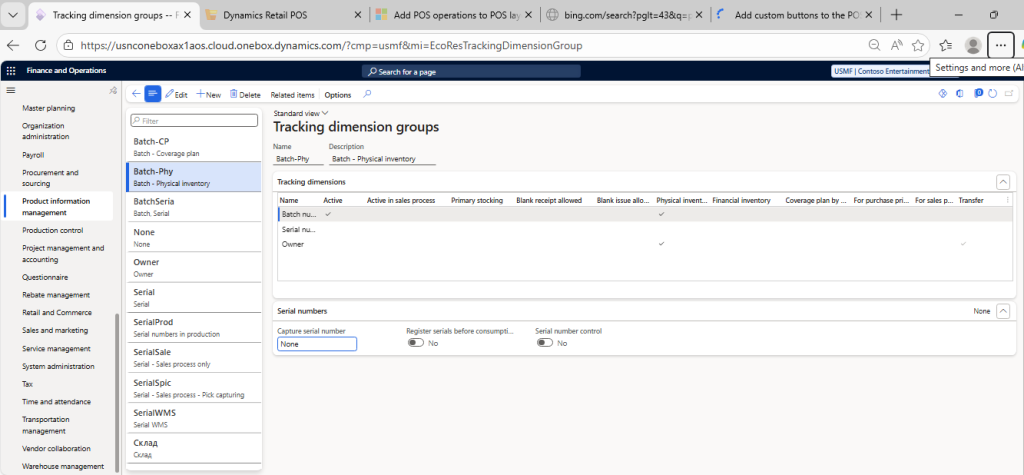
Tracking dimensions are used to uniquely identify inventory transactions and are commonly applied for:
- Batch numbers (often referred to as lots in other ERP Solutions)
- Serial numbers
- Owner
The Tracking Dimension Group form closely resembles the Storage Dimension Group form and offers similar configuration options.
Conclusion
Inventory Dimensions form the foundation of accurate inventory control, costing, and planning in Dynamics 365 Finance & Operations. Proper configuration of storage and tracking dimension groups ensures that products are managed consistently across physical operations, financial valuation, and supply chain planning.